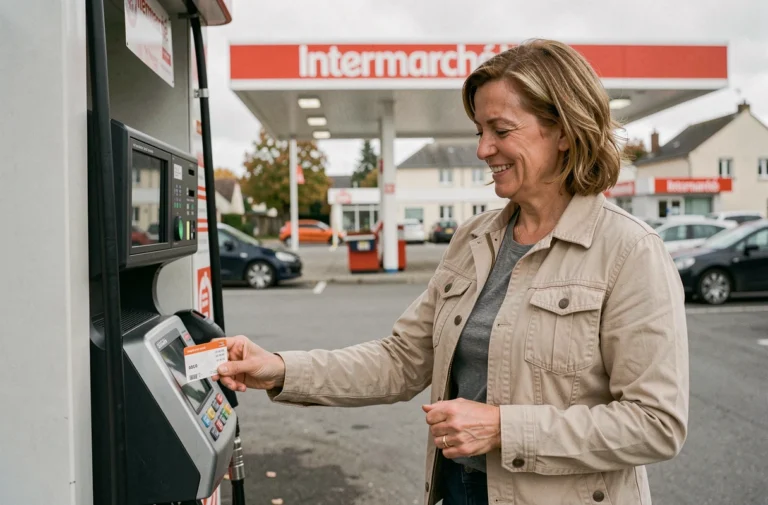
The purchasing journey on Auchan.fr contains several technical subtleties that affect the fluidity of the experience, from setting up the customer account to validating the cart. Here, we detail the operational points that traditional guides overlook.
Order Modification and Cancellation at Auchan: Status Rules to Know
The Auchan back office manages orders by status, and it is this status that determines what the customer can still do. As long as the order has not moved to preparation, cancellation remains possible from the customer area. You simply need to redo it with a corrected cart.
Once preparation has started in the warehouse or store, any modifications are locked. No line deletions, no additions. The only option is to place a second separate order.
This mechanism has a direct consequence for Drive or Click & Collect users: Auchan explicitly allows combining two orders for the same pickup slot. You just need to select the same date and time for the second order. Both will be prepared in parallel and handed over together at the pickup point.
We recommend checking the order status in the customer area before attempting any modifications to avoid creating an unintentional duplicate. For those who wish to shop online at Auchan without any unpleasant surprises, understanding this status logic is the first reflex to adopt.
Auchan Customer Area: Account Setup and Security
Creating an account on Auchan.fr is essential for accessing the three purchasing journeys (home delivery, Drive, Click & Collect). The form requires a valid email address, a password, and a postal address. This address determines the available delivery methods in your geographical area.
Linking the loyalty card to the online account is a separate step, often overlooked. Without this link, loyalty discounts and personalized coupons do not apply to the online cart. This operation is done from the “My Account” section by entering the card number.
Authentication and Payment Validation
Auchan applies strong authentication for card payments, in accordance with European regulations. Specifically, after entering the card details, validation via the banking app or SMS is required.
A technical point to note: if the mobile browser blocks pop-ups or redirects, the 3D Secure validation page may not display. We observe that this scenario is the primary cause of payment failures reported on consumer forums. Disabling the browser’s pop-up blocker before validating the cart resolves the issue in most cases.
Drive, Click & Collect, and Home Delivery: Choosing the Right Journey
Auchan distinguishes three withdrawal and delivery pathways in its online ecosystem. Each serves a different purpose and imposes its own constraints.
- Drive: the order is prepared by the store team and handed directly into the vehicle’s trunk, without getting out of the car. Pickup occurs during the selected time slot, with order retention limited to twenty-four hours.
- Click & Collect: the customer picks up their groceries on foot, in-store, or at an automatic locker. This pathway allows for payment on-site in the supermarket, which is not the case for Drive where online payment is mandatory.
- Home Delivery: available in major French urban areas, it requires a minimum cart amount. The customer chooses between standard delivery, eco-delivery at a reduced rate, or an express option depending on local availability.
The choice of pathway is made at the beginning of the session, before filling the cart. Changing the pickup method during the order sometimes resets the cart, as the catalog and availability differ from one pickup point to another. Selecting the correct pathway from the start avoids losing your selection.

Auchan Mobile App: Technical Specificities of the Purchasing Journey
The Auchan mobile app replicates the web journey but introduces some functional differences. Geolocation, if activated, automatically pre-selects the nearest store and adapts the catalog accordingly.
The app also allows scanning the loyalty card in physical stores, which unifies the purchase history between online and in-store channels. This unification has a direct benefit: personalized suggestions and targeted offers become more relevant over time with orders.
Notifications and Order Tracking on Phone
Push notifications from the app signal every status change of the order, from validation to preparation, then to availability for pickup or shipping. Activating these notifications avoids the need to manually check the customer area.
A detail often overlooked: if the app is installed but notifications are disabled at the phone’s operating system level, no alerts will be received. The check is done in the phone settings, not in the app itself.
Promotional Offers and Auchan Loyalty Card Online
The Auchan loyalty program works online as well as in-store, provided the card is linked to the account. Discount coupons appear in the customer area and must be manually activated before being added to the cart.
One-time promotional codes (distributed via email or through partners) are entered in the dedicated field at the order summary stage. Only one promo code can be applied per order, and they cannot be combined. Loyalty discounts, however, can be combined with a promo code.
For Drive or Click & Collect orders, the prices displayed online are those of the selected pickup store. They may differ from one point of sale to another, even within the same urban area. Checking the store associated with your order before validating the cart remains the safest way to avoid unexpected price discrepancies upon receipt.